Student Withdrawal Request
Introduction
Amrita Online Admission Portal (AOAP) guides the candidates with simple steps through the admission procedure. Candidates need to submit the relevant proof of documents while pursuing admissions. Certain candidates may find it difficult in processing the required documents within the prescribed time period. In view of this, the candidate can avail of the provision of submitting an undertaking stating the date of document submission from their side.
This document illustrates how an applicant can submit withdrawal request through AOAP.
Getting Started
To access AOAP 2022
Open an internet browser (Recommended to use Google Chrome)
Type http://amrita.edu/admissions and click enter
Click on your relevant program to open the login page
How to submit withdrawal request through AOAP.
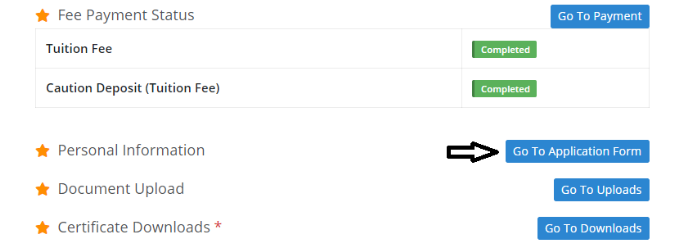
From the Dashboard, click on the Go to application button
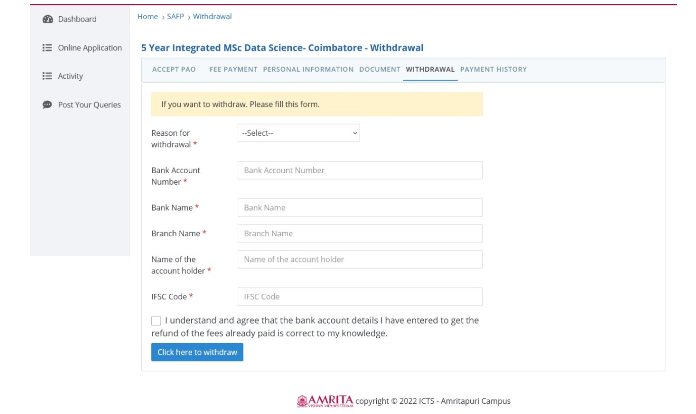
Click on the Withdrawal and enter the withdrawal details and click here to withdraw as shown below